
Introduction
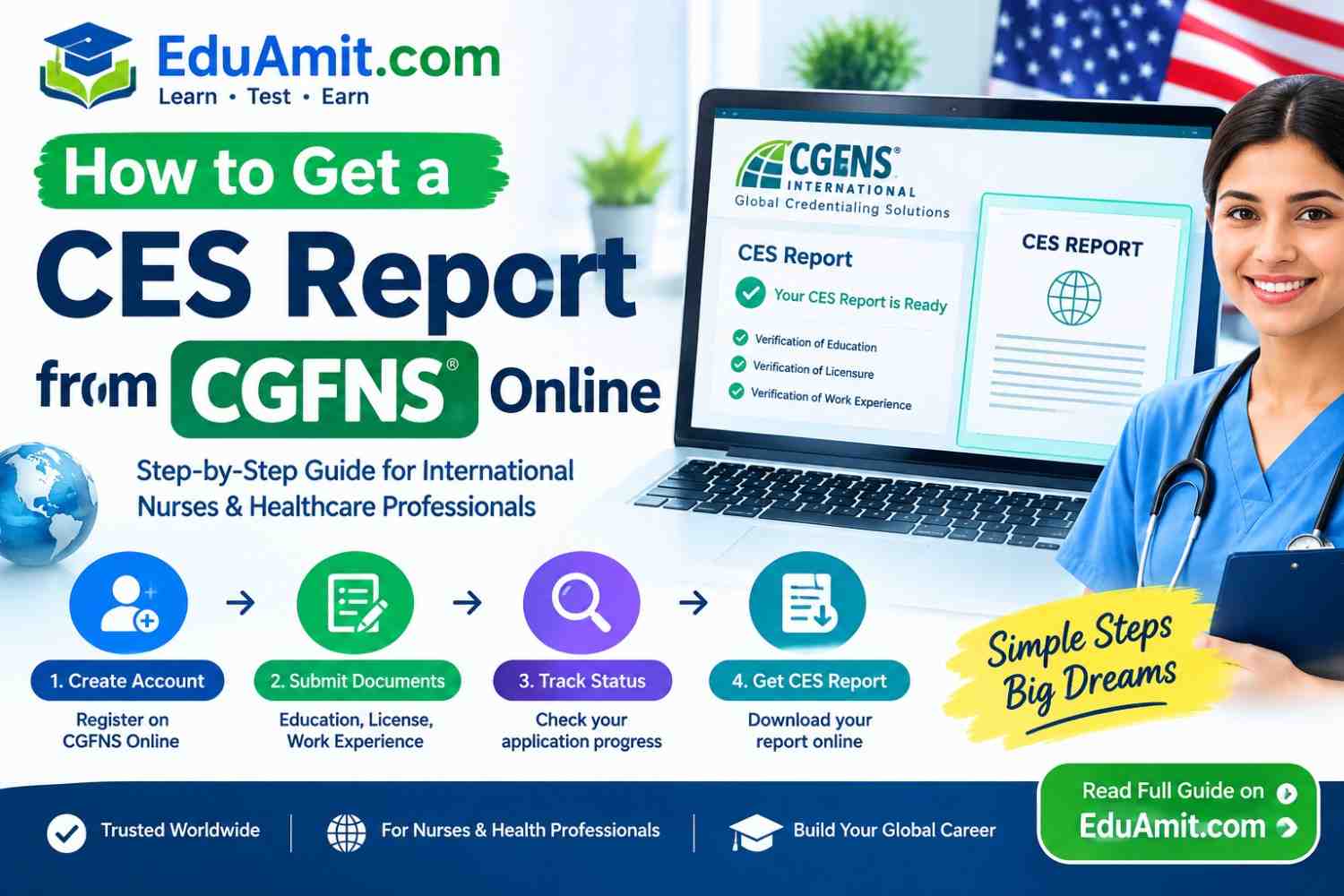
If you’ve been told you need a CES report for U.S. nursing licensure, you’re not alone. For many internationally educated nurses, the requirement itself is clear, but figuring out where to start and how to avoid mistakes can be confusing and stressful.
A CGFNS CES report is often requested by a state board of nursing, but the online application process isn’t always obvious the first time you use it. This article is written to help you understand how to get a CES report from CGFNS online in plain language.
We’ll explain what the evaluation is, who needs it, and walk through the current general steps without assuming details that could change over time. Most importantly, this is general guidance — you should always verify the latest instructions on the official CGFNS/TruMerit website before you pay or submit anything.
What Is a CES Report from CGFNS?
CES stands for Credential Evaluation Service. The CGFNS CES report (often called the CES Professional Report) is an educational credential evaluation focused on comparing your nursing or healthcare education to standards relevant to the recipient that requested it.
In simple terms, the evaluation reviews your academic credentials to help a designated organization understand what you studied, where you studied, and how your education compares.
Here’s what this evaluation does and does not do:
– What it does: It verifies and evaluates your education based on the documents submitted, following the requirements of the service you select.
– What it does not do: A CES report is not the same as being granted a nursing license. It is an evaluation report sent to a specific recipient, not automatic approval to practice.
Who may need it? Many internationally educated nurses need a CGFNS CES report when a U.S. state board of nursing requests it as part of their licensure review. In some cases, employers or other authorized organizations may request it as well.
Why is it requested? Different state boards have different credential evaluation requirements. One board may require a specific CES service, while another may require something different entirely.
Educational evaluation vs. licensure: It’s important to understand this distinction. An educational credential evaluation looks at your schooling and academic records. Licensure is determined separately by the board that will issue (or deny) your license.
Note: CGFNS International has rebranded in parts to TruMerit. Portal names, page titles, or service wording can change over time. Because of this, treat any names you see on the official site as the most accurate source.
How to Get a CES Report from CGFNS Online
The safest way to apply is to follow the instructions on your account at the time of application, as procedures can change. With that in mind, below is a practical, numbered breakdown of the general online process.
This is general guidance, not a substitute for the official application instructions.
Step 1: Create or Access Your CGFNS/TruMerit Account
Most applicants begin by setting up an account through the official CGFNS/TruMerit online portal.
1. Go directly to the official CGFNS/TruMerit website (do not use third-party links from unverified sources).
2. Look for the credential evaluation/CES section.
3. Create a new account if you’re a first-time applicant, or sign in if you already have one.
4. Keep your login details safe and save the email address you used for registration. Many important updates are sent through that account.
Portal names can change with updates. Always rely on what the official site shows when you log in, rather than assuming a specific tab name.
Step 2: Complete Your Applicant Profile
After accessing your account, you’ll need to complete your applicant profile. .
Take your time to enter:
– Your full legal name exactly as it appears on your passport, ID, or the documents your school will issue.
– Your contact details, including an email you check regularly.
– Personal and identifying information as requested.
– Education and, when applicable, professional information.
A small name mismatch between your application, your transcript, your diploma, or your identification is one of the most common causes of delays. If your name has changed, check the official instructions for what supporting evidence they accept before submitting.
Step 3: Select the Correct CES Service
This is the step where many first-time applicants make an expensive mistake. CGFNS offers different evaluation services, and not every CES option meets every state board’s requirements.
Before you select any service:
1. Check the exact requirement on your state board of nursing’s website first.
2. Confirm the requested evaluation type on that board’s page (for example, whether they specifically ask for the CES Professional Report).
3. Only then select that service inside your online application.
Do not choose a service based on someone else’s experience, forum posts, or social media advice. Board requirements differ, and the correct recipient/service matters because your completed report is sent to the recipient specified in your order. This is official in nature, so verify it at the source.
Step 4: Send the Application and Required Information
Once you’ve selected the correct service and completed your profile, you’ll be guided to fill out the application details specific to that order.
Generally, you’ll be asked to:
– Designate the recipient(s) requested by your board or organization.
– Answer education-related questions truthfully and completely.
– Complete any required steps to move the application to an open/order status.
Read every screen before clicking to submit. Review your legal name, selected service, and recipient at this stage. Once an order is created, changing certain details may not be possible, or may require following the current portal instructions.
Step 5: Arrange for Educational Documents to Be Sent
For most CES applications, you are responsible for ensuring the required documents reach CGFNS through an acceptable method. In many credential evaluations, transcripts and some education records must come directly from the issuing institution, not from the applicant, depending on the current official requirements.
What this can involve:
1. Check the “Outstanding Requirements” or Document Requirements list for your specific application inside your account. This list is the most accurate for your order.
2. Note which documents you need to provide, and which ones your school, college, university, or registering body needs to send.
3. Contact your educational institution and ask them about their process for sending academic records to CGFNS/TruMerit, using the exact recipient/method listed in your portal.
4. Follow the current document submission instructions shown for your service. Acceptable sending methods can change over time, so do not assume a method that worked for someone else is still valid.
Translations: If your documents are not in English, the official requirements will state whether a translation is needed and what type is acceptable. Only follow the current translation guidance shown in your application, not general assumptions.
Step 6: Check Your Application Status
After submitting, your work is not finished. Most delays happen because applicants submit their order, but never regularly check for outstanding requirements.
Inside your CGFNS/TruMerit account, your order will typically show:
– Received items
– Outstanding or Pending requirements
– Messages from the evaluation team
– The current status of your application/order
That section, specific to your application, is more reliable than any general timeline or third-party advice.
Step 7: Respond to Additional Information Requests
It is not unusual to receive a request for clarification or an additional document during an evaluation. This does not automatically mean there is a problem with your credentials. Often, it means the institution needs more details, a document was unclear, or something was missing based on the recipient’s requirements.
When this happens:
– Read the message in full inside your portal (not just your email preview).
– Send only what is requested, following the instructions given in that message.
– Avoid resending random documents. Answer the specific request to prevent further back-and-forth.
Checking your portal messages at least once or twice a week while your application is active can save you many weeks of unnecessary waiting.
Step 8: Receive or Have the CES Report Sent to the Required Recipient
A CES report is prepared for the designated recipient(s) you selected when applying. In most cases, the report is sent to that board, organization, or authorized recipient as part of your selected service, rather than being automatically released to every party.
Once your file meets all current requirements and the evaluation for your selected service is completed according to those requirements, delivery follows what your order specifies. What you see in your online account is the best place to track progress toward completion for your specific order.
Do not assume the report will be sent elsewhere unless you add an authorized recipient following the current official process.
Documents You May Need for a CGFNS CES Report
There is no universal, fixed list that fits every applicant. The exact CGFNS CES requirements depend on your country of education, your program, your profession, and the service your recipient requires.
With that disclaimer in mind, here is a practical, non-exhaustive checklist to help you prepare:
– Identity: Information matching your valid identification, consistent with your legal name.
– Nursing/healthcare education: Details of the program you completed, including school name, years attended, and credential earned.
– Academic transcripts: Often required to be sent directly from your institution, per current official instructions.
– Diploma/certification details: Some programs require evidence of graduation or the award of your credential.
– Professional registration/licensure (when applicable): Certain applications may require information about registration, license, or good standing, depending on the service.
– English documents or translations: If original records are in another language, official acceptable translations may be required.
– Additional items: CGFNS may request school-specific forms, clarification, or extra pages based on how your institution responds to verification requests.
Important: Only trust the Document Requirements list shown on your specific application/order in your account. Treat that personalized list as official for you, and general lists (including this one) as preparation guidance only.
How Long Does a CGFNS CES Report Take?
It is not responsible or accurate to state a fixed number of weeks or days for a CES evaluation. Processing time can vary from one applicant to another.
Several factors affect the timeline:
– Missing or incomplete documents: This is the biggest cause of delay.
– School verification: Some institutions respond quickly, while others take weeks or longer to send the required records.
– Delayed responses from issuing institutions: The evaluation cannot move forward for the parts awaiting direct verifications.
– Additional document requests: Each time clarification is requested, the active processing time for that file can be extended.
– Application volume: Incoming volumes can fluctuate throughout the year.
For this reason, we do not invent processing estimates here. Instead, check the most current processing information on the official CGFNS/TruMerit website at the time you plan to apply. Your personal timeline will depend mostly on how complete your file is and how timely your institution is in responding.
How to Check Your CGFNS CES Application Status
One of the easiest ways to stay in control of your application is to monitor it regularly. To check your CGFNS CES status:
1. Sign in to your official CGFNS/TruMerit account.
2. Open your application/order. Locate the CES application you submitted from your dashboard.
3. Review Outstanding Requirements. This shows exactly what is still needed to complete your file.
4. Check Messages. Read any portal messages in full, as these often explain what action is needed.
5. Follow up when appropriate. If an institution was asked to send documents and an unusual amount of time has passed, you may politely follow up with that institution while still monitoring your portal for updates.
A helpful habit: log in at least once a week while waiting. Many delays continue simply because an outstanding item went unnoticed.
Common CGFNS CES Problems and How to Avoid Them
| Common Problem | Why It Causes Delay | Practical Solution |
|---|---|---|
| Incorrect personal information | Doesn’t match transcripts, diplomas, or ID. | Enter your legal name exactly as it appears on your academic and identity documents. |
| Wrong service selected | Report may not satisfy your state board. | Confirm with your state board first, then match that exact service in the portal. |
| Transcripts not received | Evaluation can’t proceed without required verifications. | Check outstanding requirements, confirm your school uses the acceptable method listed, and follow up with them. |
| Documents sent using an unacceptable method | They may not be accepted as valid. | Only use the submission method shown for your order on the official portal. |
| Name mismatch between documents | Triggers verification or clarification requests. | If you’ve had a legal name change, check official guidance on acceptable supporting documents before applying. |
| Missing translations | Non-English records cannot be reviewed as requested. | Verify current translation requirements for your documents in your personalized list. |
| Not checking portal messages | Applicants miss time-sensitive requests. | Check your account messages weekly. Email filters can sometimes miss or delay important notices. |
| Waiting without checking outstanding requirements | Assumes it’s “in process” when it’s actually waiting on you or your school. | Treat the Outstanding Requirements tab as your active to-do list, not just the overall status label. |
Most CES delays are preventable. Here are real issues applicants run into, along with practical ways to avoid them:
The simplest advice: believe the portal list, not assumptions. Your order’s outstanding requirements will tell you the truth about what is holding your file.
CES Report vs. CGFNS Certificate
These are often confused by internationally educated nurses.
– CGFNS CES Report: A credential evaluation report that assesses your educational credentials and is sent to the recipient(s) you designate (often a state board of nursing).
– CGFNS Certificate (or other CGFNS programs): Different CGFNS/TruMerit services have different eligibility and objectives.
Do not assume that because someone mentions a “CGFNS certificate” that you need it. Always follow your specific state board’s written requirement. If your board says “CES Professional Report,” apply for that exact service — not a similarly named program.
CES Report vs. Credential Evaluation
A general credential evaluation can mean different types of evaluations, with different levels of detail, recipients, and purposes. The CGFNS CES report is a specific type of evaluation service designed with certain board requirements in mind.
The key difference to remember: the recipient determines what type of evaluation is acceptable. What is acceptable for one board may not be acceptable for another. That is why selecting the correct service before paying is so important, rather than picking the one that sounds most general.
H2: Frequently Asked Questions
1. What is a CGFNS CES Report?
A CGFNS CES report is a credential evaluation that reviews your nursing or healthcare education. It is usually requested by a U.S. state board of nursing to help them understand your academic credentials.
2. How do I apply for a CES Report online?
The general way is to create or sign in to the official CGFNS/TruMerit account, complete your profile, select the correct CES service based on your board’s requirement, submit your application, and arrange for required documents to be sent as instructed. Always verify current steps on the official website.
3. Can I submit my CES application online?
Yes, the application order is typically started online through the official portal. However, many supporting documents (especially transcripts) are required to be sent by your institution through the method specified in your application, not always uploaded by the applicant. Check your personalized requirements.
4. What documents are required for CES?
This depends on your country, school, program, and selected service. Common categories include identity details, academic transcripts, education records, and possibly professional registration. The personalized Document Requirements list in your account is the only accurate list for your case.
5. Can I check my CES status online?
Yes. You can check your CGFNS CES status by signing in to the official portal, opening your CES order, reviewing Outstanding Requirements, and reading any portal messages.
6. How long does a CES evaluation take?
There is no reliable fixed timeline to publish, as it depends on missing documents, institution response times, clarification requests, and application volume. Check the current official CGFNS/TruMerit information for any estimates at the time of your application.
7. What happens if CGFNS does not receive my transcript?
If a required transcript is not received through an acceptable method, your application will remain incomplete. It will usually show as outstanding in your portal. Contact the issuing institution to confirm they sent it using the exact method listed in your order, and monitor your outstanding requirements for updates.
- Mitosis and Meiosis Quiz: Practice Questions, Answers, Phases & Key DifferencesCell division is one of the most important processes that keeps living things alive. Every time your skin heals, your hair grows, or a human embryo develops, cells are dividing. There are two main types of cell division in eukaryotic organisms: mitosis and meiosis. While they may sound similar, mitosis and meiosis serve very different purposes. Mitosis is responsible for growth, repair, and asexual reproduction. Meiosis,… Read more: Mitosis and Meiosis Quiz: Practice Questions, Answers, Phases & Key Differences
- National Spanish Exam Level 2 Practice Quiz Free: A Complete Guide to Raise Your ScoreIf you’re looking for a solid National Spanish Exam Level 2 practice quiz free, you’re probably not just trying to kill time. You’re trying to feel more confident before test day. Maybe your teacher told you the exam is coming up in a few weeks. Maybe you’re nervous because you don’t know what kinds of questions to expect. Or maybe you’ve taken a practice quiz online,… Read more: National Spanish Exam Level 2 Practice Quiz Free: A Complete Guide to Raise Your Score
- Random Group Generator Free – Create Random Teams & Groups InstantlyCreating groups should be simple. But when you have 25 students waiting for assignments, 40 employees attending a workshop, or 16 friends preparing for a game, dividing everyone fairly can become surprisingly complicated. A free random group generator solves this problem by automatically dividing participants into teams. Instead of manually assigning people, you enter their names, choose the number of groups, and generate randomized assignments in… Read more: Random Group Generator Free – Create Random Teams & Groups Instantly
- CompTIA A+ 1201 Practice Test Free: Questions, Answers & Exam Prep GuideEither you just booked your Core 1 exam and your stomach dropped a little, or you’ve been studying for weeks and you genuinely don’t know whether you’re ready. I’ve been in that exact spot. Back when I sat my first CompTIA exam, I had taken probably 400 practice questions. And I still walked in sweating, because I had memorized answers instead of understanding them.That’s the trap.… Read more: CompTIA A+ 1201 Practice Test Free: Questions, Answers & Exam Prep Guide
- Free Printable 3rd Grade WorksheetsSometimes, you need one helpful worksheet. Not ten. Not twenty. And certainly not a whole page of links. These free printable 3rd grade worksheets contain six unique activities for math, reading, grammar, writing, science, and social studies, plus answer keys, teaching tips, and a week-long plan. Use them for extra help, lessons, homework, and summer practice. You’ll start with one simple activity and see how the… Read more: Free Printable 3rd Grade Worksheets